
Most people buy an OBD2 scanner after a warning light comes on and they want to know what’s wrong before paying a mechanic to tell them. This guide covers everything you need, how to use obd2 scanner, read fault codes, interpret live data, and decide what to do next. All screenshots, fault codes, and live data shown here are from my own Skoda Rapid 1.0 TSI.
What Happens When You Scan a Car With OBD2?
When you plug an OBD2 scanner into your car it communicates directly with the Engine Control Unit. The ECU constantly monitors sensors across the car, throttle position, oxygen sensors, coolant temperature, and boost pressure among others. When any sensor reads outside its normal range, the ECU stores a Diagnostic Trouble Code and in most cases triggers a warning light on the dashboard.
The scanner doesn’t fix anything. It reads what the ECU has already recorded and displays it in a way you can understand. Think of it as reading the car’s report card, the ECU writes it, the scanner shows it to you. Scanning is safe in normal use because a basic OBD2 scanner only reads data, it cannot modify ECU settings or vehicle software unless you’re using advanced programming tools specifically designed for that purpose.
What You Need Before Scanning Your Car
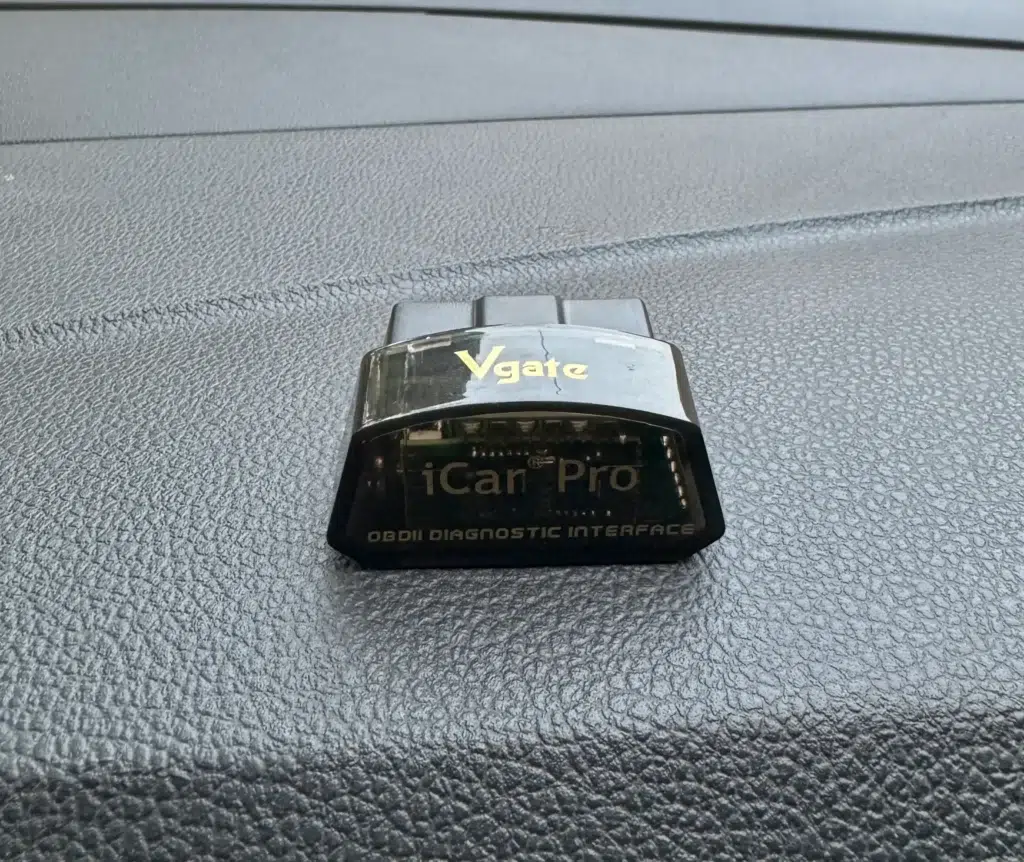
You only need three things. An OBD2 Bluetooth scanner, a smartphone, and an OBD2 app. For the scanner, I use the Vgate iCar Pro which pairs instantly with iPhone and Android and reads every live parameter and fault code on VAG Group cars. For the app, Car Scanner ELM OBD2 is the best overall option and works on both platforms. Torque Pro is strong on Android, OBD Fusion on iPhone, and OBDAutoDoctor is a solid free option for beginners.
Where Is the OBD2 Port Located in Your Car?
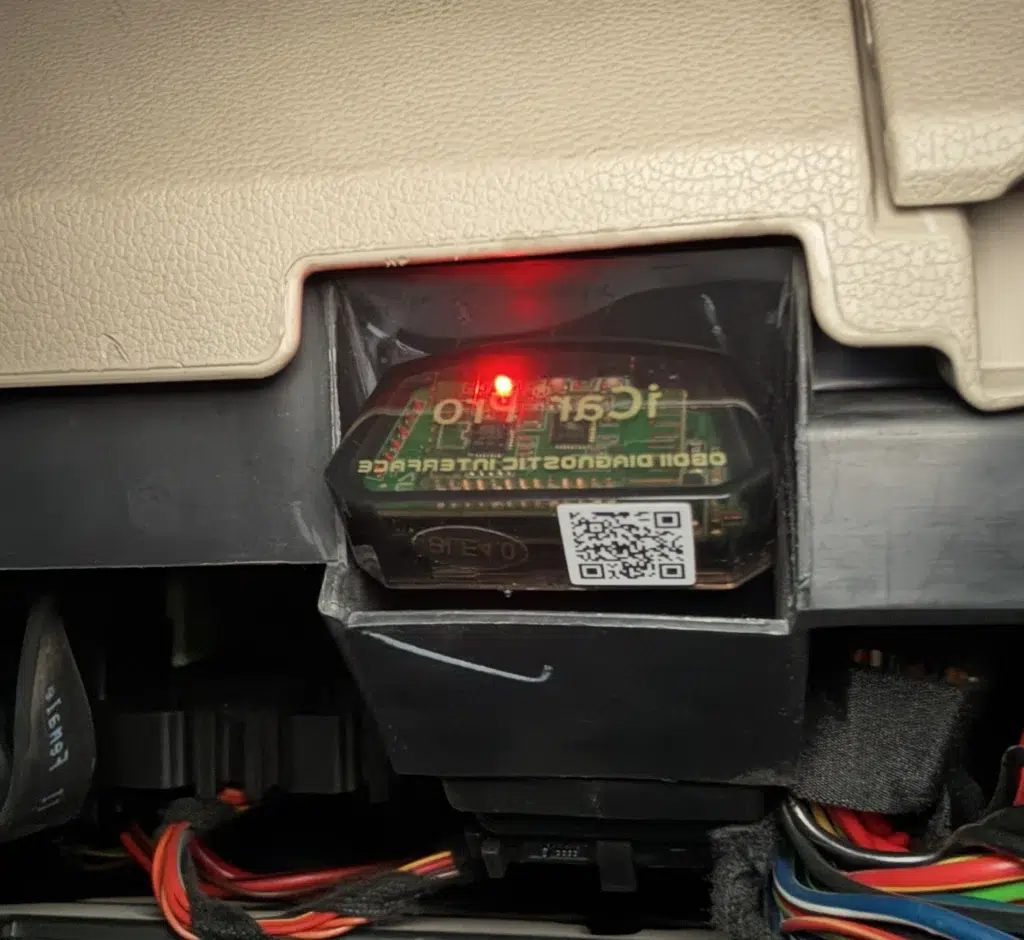
In most cars the OBD2 port is located below the steering column, above the pedals, near the fuse box, or sometimes behind a small plastic flap. In my Skoda Rapid it sits under the steering column on the driver’s side, easy to find without tools.
How to Connect the Scanner – Step by Step
Step 1 – Plug the scanner into the OBD2 port
Insert the Bluetooth dongle firmly into the port. A small LED or power indicator should light up confirming it’s receiving power. If nothing lights up, check that the ignition is on and the port fuse is intact.
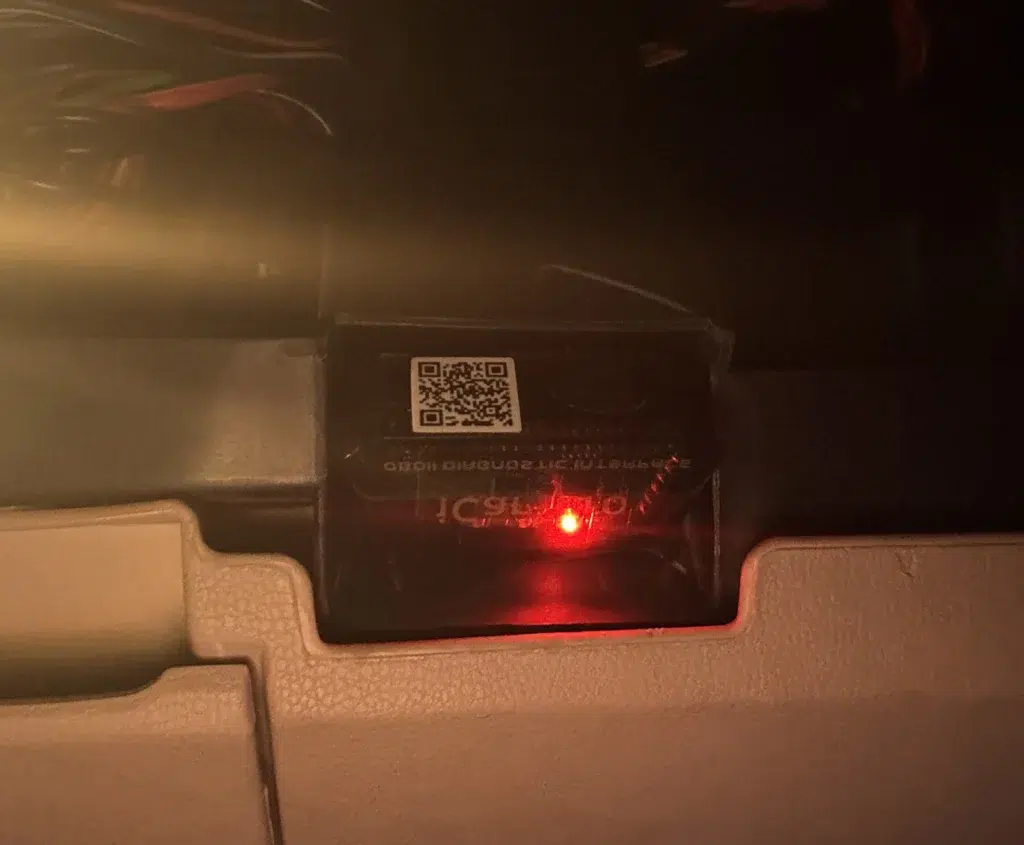
Step 2 – Turn the ignition ON
Switch ignition to ON without starting the engine. This powers the ECU and allows the scanner to communicate. You don’t need the engine running for fault code reading, only for live data.
Step 3 – Pair your phone via Bluetooth
Go to your phone’s Bluetooth settings and search for new devices. Your scanner will appear as OBDII, ELM327, Vgate, or OBD2-BT depending on the brand. Pair it, if asked for a PIN try 0000 or 1234.
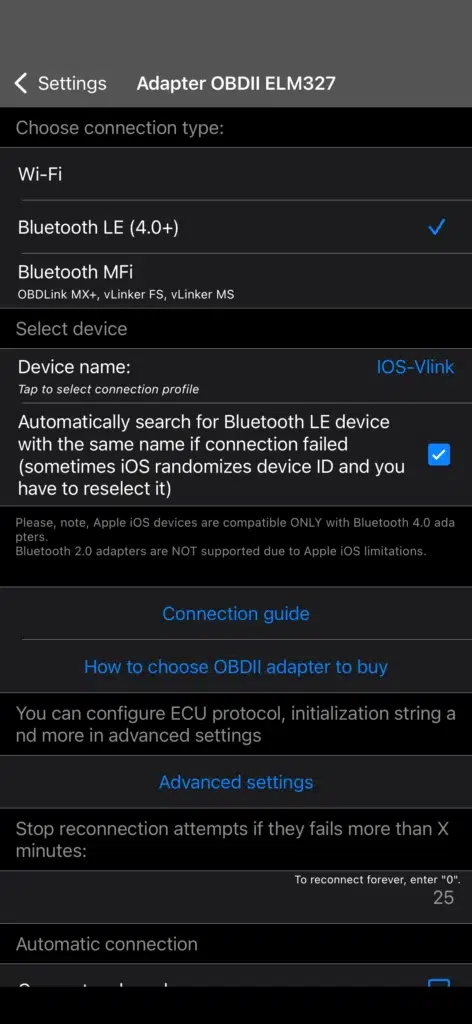
Step 4 – Open the OBD2 App & Select Your Car
Open your OBD2 app and select your car make, engine type, and fuel type. This helps the app interpret data correctly and increases the number of sensors it can read. Choosing the correct profile makes a noticeable difference on VAG Group cars specifically.
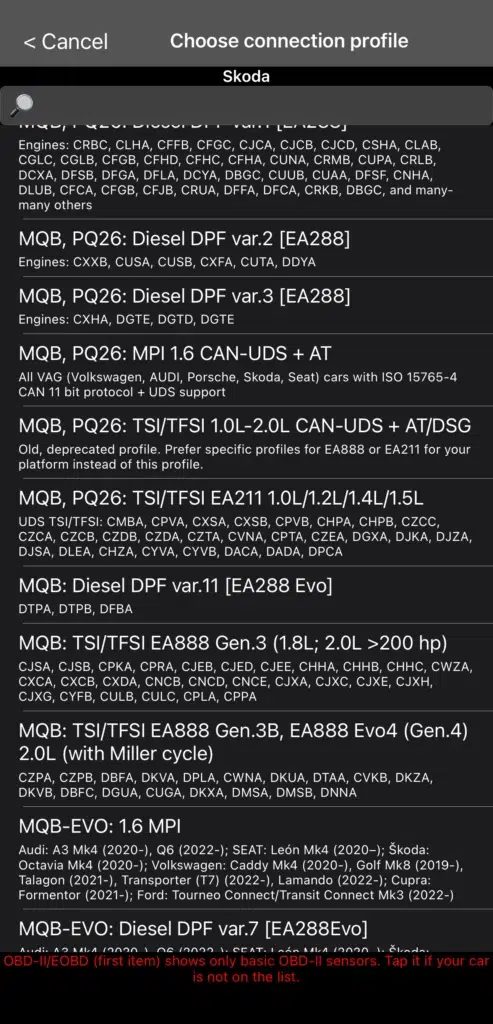
Step 5 – Connect to ECU
Tap “Connect to OBD2 Adapter” in the app. The app will establish communication, verify the connection, and connect to the ECU. If it fails, turn ignition off and on again, unplug and reinsert the scanner, and restart the app.
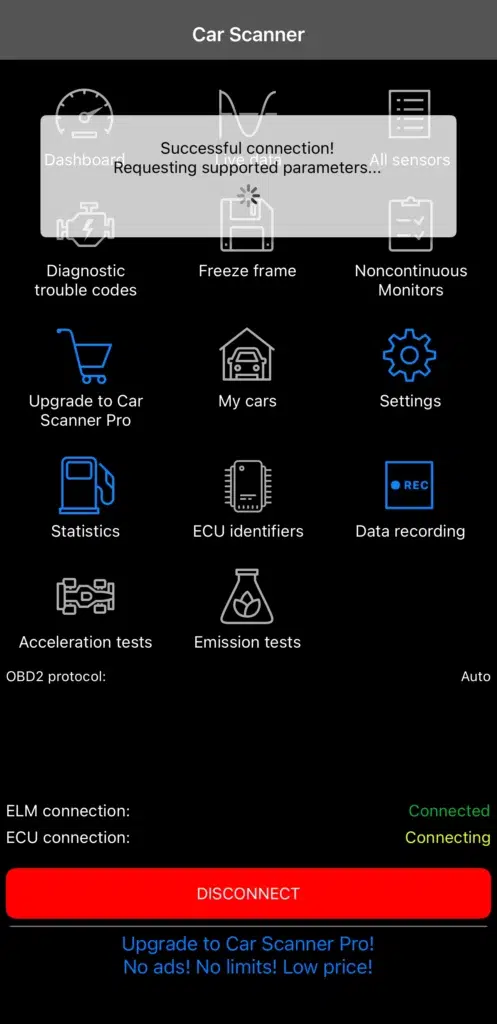
Scan & Read Trouble Codes (DTCs)
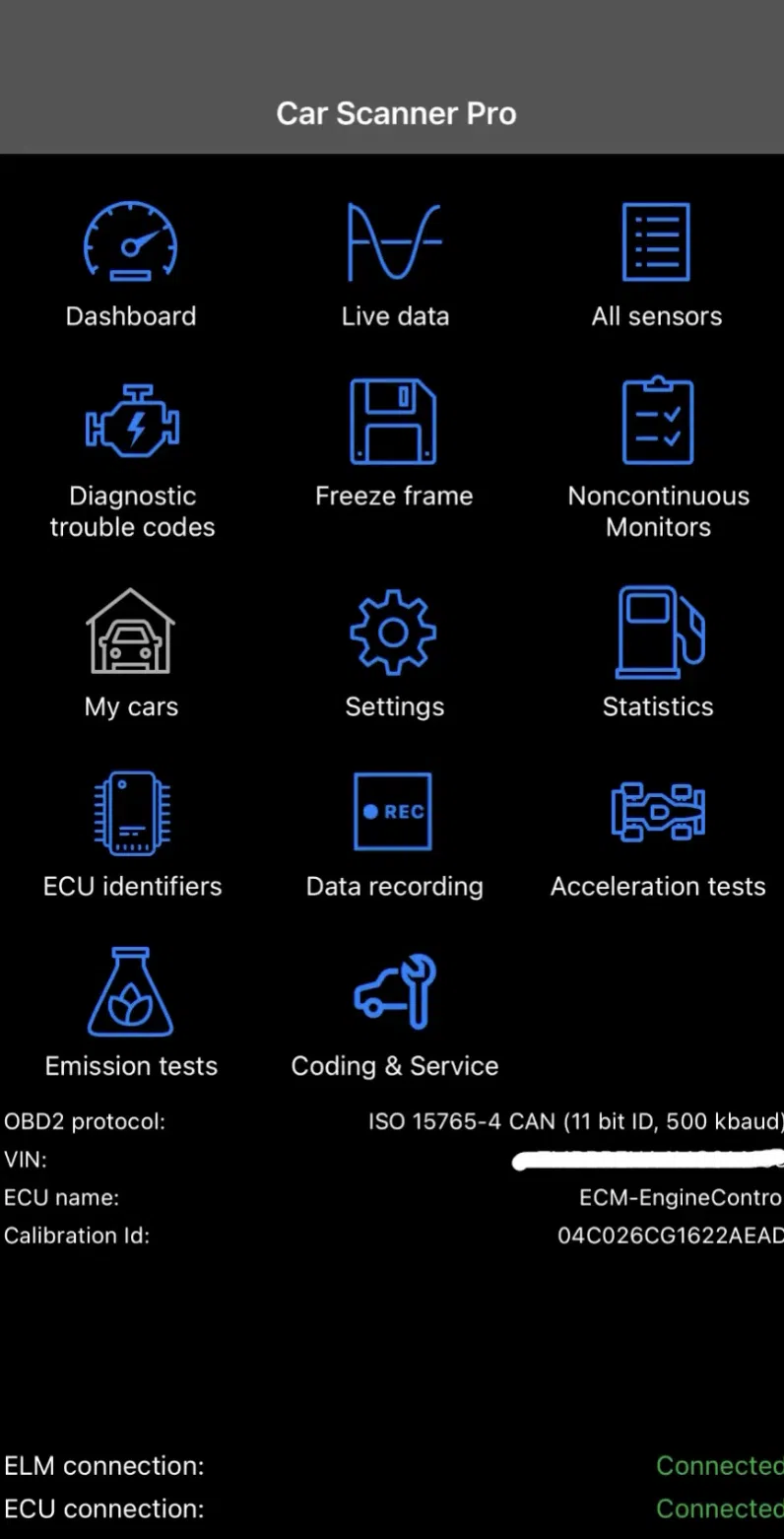
This is the most common reason people buy OBD2 scanners. Once connected, go to Diagnostics and tap Read Trouble Codes. The app will display any stored faults organised by system, P codes cover the powertrain including engine, turbo, and sensors. B codes cover body systems like airbags and locks. C codes cover chassis systems including ABS and steering. U codes cover network communication between modules.

Real OBD2 Code Scan & Clearing Demo (My Skoda Rapid 1.0 TSI)
In the video below, I’m scanning my Skoda Rapid 1.0 TSI using the Car Scanner ELM327 app and a Bluetooth OBD2 adapter. This is a real-time demonstration of how the ECU displays stored fault codes and how the clearing process works.
The car had three stored codes at the time, a P013A00 O2 sensor slow response on Bank 1 Sensor 2, a 14571 EVAP emission control system purge flow fault, and a stored code from the onboard supply control unit.il pressure, or transmission failure, it should be diagnosed before attempting to clear it.
Scanning fault codes with OBD2 scanner on a 1.0 TSI — real DTC reading using Vgate iCar Pro
Generic vs Manufacturer-Specific Codes
Codes starting with P0XXX are generic and carry the same meaning across all manufacturers, a P0300 random misfire code means the same thing on a Skoda as it does on a Toyota. Codes starting with P1XXX are manufacturer specific and the meaning varies by brand. If you see a P1XXX code don’t rely on a generic lookup tool, cross reference it with your car’s service manual or a brand-specific diagnostic source for an accurate interpretation.
VAG cars (VW, Audi, Skoda, SEAT) also show their own five-digit codes through tools like VCDS and OBDeleven, for example, fault code 01304 for a CAN Gateway radio fault, which are even more brand-specific and won’t show up correctly in a generic reader at all.
What Is a Pending Code?
A pending code means the ECU detected an unusual sensor reading but it hasn’t occurred enough times to trigger a warning light. If the problem repeats, the pending code becomes confirmed and the warning light comes on. Don’t ignore pending codes that keep reappearing, they consistently become full faults if the underlying issue isn’t addressed early.
What Should You Do After Reading the Codes?
Reading the codes is the first step, not the last. A minor stored emission code with no active symptoms can usually be cleared and monitored to see whether it returns. Codes relating to misfires, overheating, oil pressure, or transmission problems are a different matter, don’t drive the car hard until the cause is properly identified. A flashing check engine light rather than a steady one means stop driving as soon as it’s safe, this almost always indicates an active misfire which can damage the catalytic converter quickly. An OBD2 scanner tells you what the ECU recorded. What you do with that information is what actually protects the engine.
Clear Error Codes (Only If Safe)
Only clear codes after diagnosing what caused them, never before. Clearing removes the fault from ECU memory temporarily but if the underlying problem still exists the code will return within a few drive cycles. Never clear codes related to ABS, airbags, transmission, oil pressure, or active misfires without proper diagnosis first, these affect safety and clearing the code doesn’t fix the cause. Also avoid clearing codes immediately before an emissions test. The readiness monitors reset to “Not Ready” after clearing and the car needs several drive cycles to complete them again, which can cause a test failure even if the original issue was resolved.
View Live Engine Data (Real-Time)
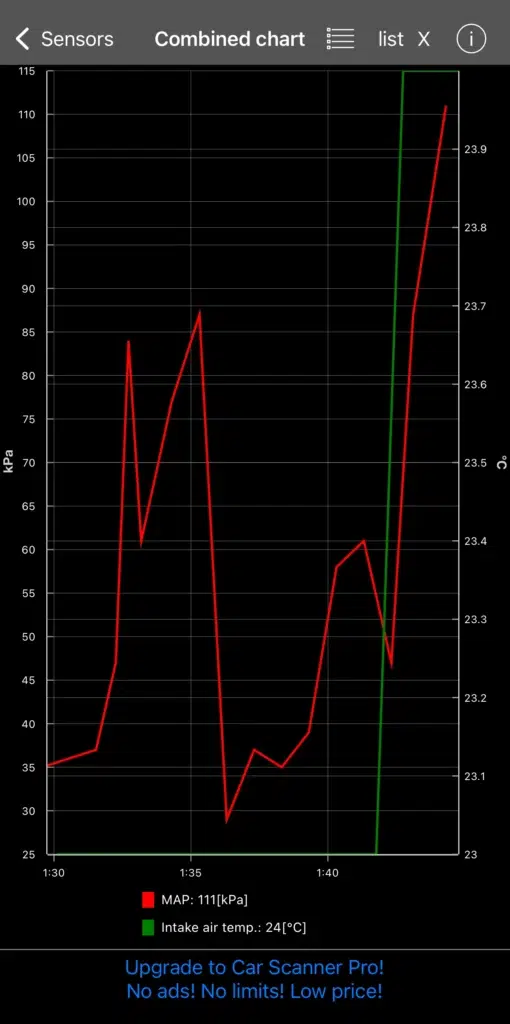
With the engine running you can monitor a wide range of parameters in real time, RPM and engine load, boost pressure via the MAP sensor, intake air temperature, coolant temperature, throttle position, short and long term fuel trims, oxygen sensor readings, and it also shows your charging voltage, which is exactly how you confirm what a battery warning light is telling you. For a standard car this is most useful for diagnosing intermittent issues and checking sensor behaviour. For a Stage 1 or Stage 2 tuned car it becomes more important, monitoring boost pressure, IAT, and fuel trims helps confirm the tune is running correctly and catch heat soak or overboost situations before they cause damage.
Check Freeze Frame Data
Freeze frame captures a snapshot of all engine conditions at the exact moment a fault code was triggered. This is particularly useful for intermittent faults that don’t reproduce on demand, the freeze frame tells you what the engine was doing, what speed and load it was under, and what temperature it was at when the ECU first detected the problem. Without freeze frame data, intermittent faults can be almost impossible to diagnose accurately.
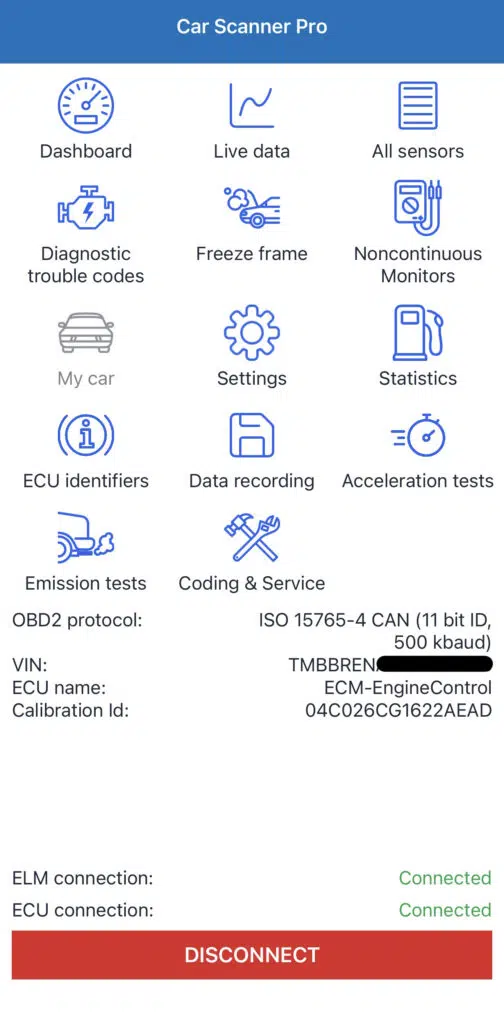
Car Scanner ELM app dashboard — freeze frame, emissions test, live data, and acceleration test tools.
ECU Tests and Long Term Monitoring
Some apps and scanners support additional testing functions including EVAP system tests, O2 sensor tests, catalyst monitor checks, and fuel system verification. Availability varies by car and app. For long term use, OBD2 monitoring is genuinely useful for tracking coolant temperatures in traffic, boost levels during hard acceleration, fuel trim trends over time, battery voltage, and misfire counts across multiple drives and ecu remapping as well. Watching these parameters over weeks rather than a single session can surface developing problems before they become expensive ones.
What Are OBD2 Protocols?
Your car and scanner communicate using a standardised protocol. Older European and Asian cars typically use ISO 9141-2. Older American cars used SAE J1850 PWM or VPW. Most cars manufactured after 2008 use CAN, Controller Area Network, which is faster and more reliable for communication between multiple modules. Most modern scanners detect the correct protocol automatically so you don’t need to select it manually, but knowing which protocol your car uses can help diagnose connection problems if they occur.
Is It Safe to Scan Your Car With an OBD2 Scanner?
Yes. A basic OBD2 scanner reading data cannot modify your engine settings or vehicle software. To use it safely, stick to reputable scanners, avoid repeatedly clearing codes without diagnosing the cause, and don’t attempt ECU coding or programming unless you know exactly what you’re doing. For standard diagnostics and monitoring it’s one of the safest tools a car owner can use.
Can You Scan a Car With the Engine Running?
Yes. For basic fault code reading you only need the ignition on, the engine doesn’t need to be running. For live data including RPM, boost pressure, fuel trims, and oxygen sensor activity you need the engine running. Before checking live data make sure the car is in neutral with the handbrake applied.
When Should You Avoid Scanning Your Car?
Avoid scanning if the battery voltage is very low, if there is visible electrical damage to the car, or if the OBD2 port itself is damaged. Also avoid revving the engine or driving hard while scanning if the check engine light is on and the engine is already running rough, diagnose the fault first before putting the engine under load.
How Accurate Are OBD2 Scanners?
OBD2 scanners accurately read engine fault codes, sensor values, live data, and ECU status. Where they have limitations is in systems that use separate control modules not always accessible via the standard OBD2 port, ABS on some cars, airbag modules, DSG gearbox diagnostics, and immobilizer systems often require manufacturer-specific diagnostic tools rather than a generic OBD2 scanner to read properly.
My Real World Use on the 1.0 TSI
My Rapid is Stage 1 tuned, I use the scanner more regularly than a stock car owner would need to. Before long drives I check for stored fault codes and confirm boost is within the expected range. In hot weather I monitor IAT to check for heat soak. After switching fuel grades I check sensor behaviour to confirm the engine is responding correctly. During stop-go traffic I occasionally check coolant temperature. For a turbocharged petrol on a remap, having an OBD2 scanner and knowing how to read it gives you visibility into what the engine is actually doing rather than driving without any feedback.
OBD2 and Emissions Testing
OBD2 data is used for emissions testing in many countries. Inspection centres check whether the check engine light is illuminated, verify that readiness monitors have completed, and look for stored emission-related fault codes. If you clear codes immediately before a test the readiness monitors will show as incomplete and the car may fail the test even if the underlying issue has been fixed. Only clear codes before an emissions test if the fault has been properly resolved and the car has been driven enough cycles for all monitors to reset to ready.
Common Problems & Fixes When Using OBD2 Scanner
A scanner that isn’t connecting can usually be fixed by confirming the ignition is fully on, unplugging and reinserting the device, and restarting the app, try a different app if the problem persists. Bluetooth pairing issues are usually resolved by trying PIN 0000 or 1234, restarting your phone, and forgetting the device before pairing from scratch. No data showing typically means the wrong car profile is selected, check this first and try enabling CAN protocol manually in settings if the problem continues. App crashes are best solved by updating the app and clearing the cache, or switching to Car Scanner which is the most consistently stable option across both Android and iPhone.
FAQs
Yes for basic fault codes, sensor readings, and live data. An OBD2 scanner won’t replace a full mechanical inspection for complex issues but it gives you enough information to understand what’s wrong and have an informed conversation with a mechanic rather than going in blind.
A free app covers basic fault code reading and live data. Paid apps like Torque Pro and OBD Fusion add advanced features including extended PID support, custom dashboards, and deeper diagnostics for specific manufacturers.
Yes, but only after diagnosing the issue. Clearing without diagnosis just resets the warning — the underlying problem remains.
No. In normal use it only reads data. Damage from OBD2 scanners almost always comes from misuse of advanced ECU coding tools, not from standard diagnostic use.
Not in normal diagnostic use. A quality scanner reading data is extremely unlikely to cause any ECU issues. The risk only appears with advanced programming tools used incorrectly.
Last updated: August 2026

Founder of TheCarLane | Automotive Enthusiast
Ayush shares practical automotive knowledge based on real-world ownership and hands-on experience. His work focuses on diagnostics, engine systems, common car problems, and clear explanations that help everyday drivers understand their vehicles better.