
This article contains affiliate links. As an Amazon Associate I earn from qualifying purchases, at no extra cost to you.
The Vgate iCar Pro BLE 4.0 is a budget OBD2 adapter that works on any car with an OBD2 port; this review is written for VW, Skoda, Audi and SEAT owners because that is what this site covers, and the car it was tested on is one of them. I have used it weekly for over a year on my Skoda Rapid 1.0 TSI on both an iPhone and an Android phone. On the Rapid it has exposed every PID Car Scanner app has asked for, including the fuel trims and boost readings used across this site, and it has never once dropped a connection or needed re-plugging. It reads, scans and clears fault codes and streams live data; it does not do coding. If that is all you need, it does the job at a fair price.
I bought mine from Amazon India in March 2025 for around ₹4,000 and I have used it for every diagnostic session on the car since, the boost logs, the fuel trim readings, the cold start data, all of it came through this one adapter paired with Car Scanner App on iPhone. This review is what over a year of actual use tells you about it, not a spec sheet read off the box.
Vgate iCar Pro BLE 4.0 scorecard
Scored against everything a VW-group owner might buy for diagnostics, coding tools included. A year of weekly use on my Skoda Rapid 1.0 TSI.
7/10
Overall
Connection reliability
7.5/10
Live data
7/10
Phone and app compatibility
7/10
Diagnostic depth
6/10
Build and fit
7/10
Value
7/10
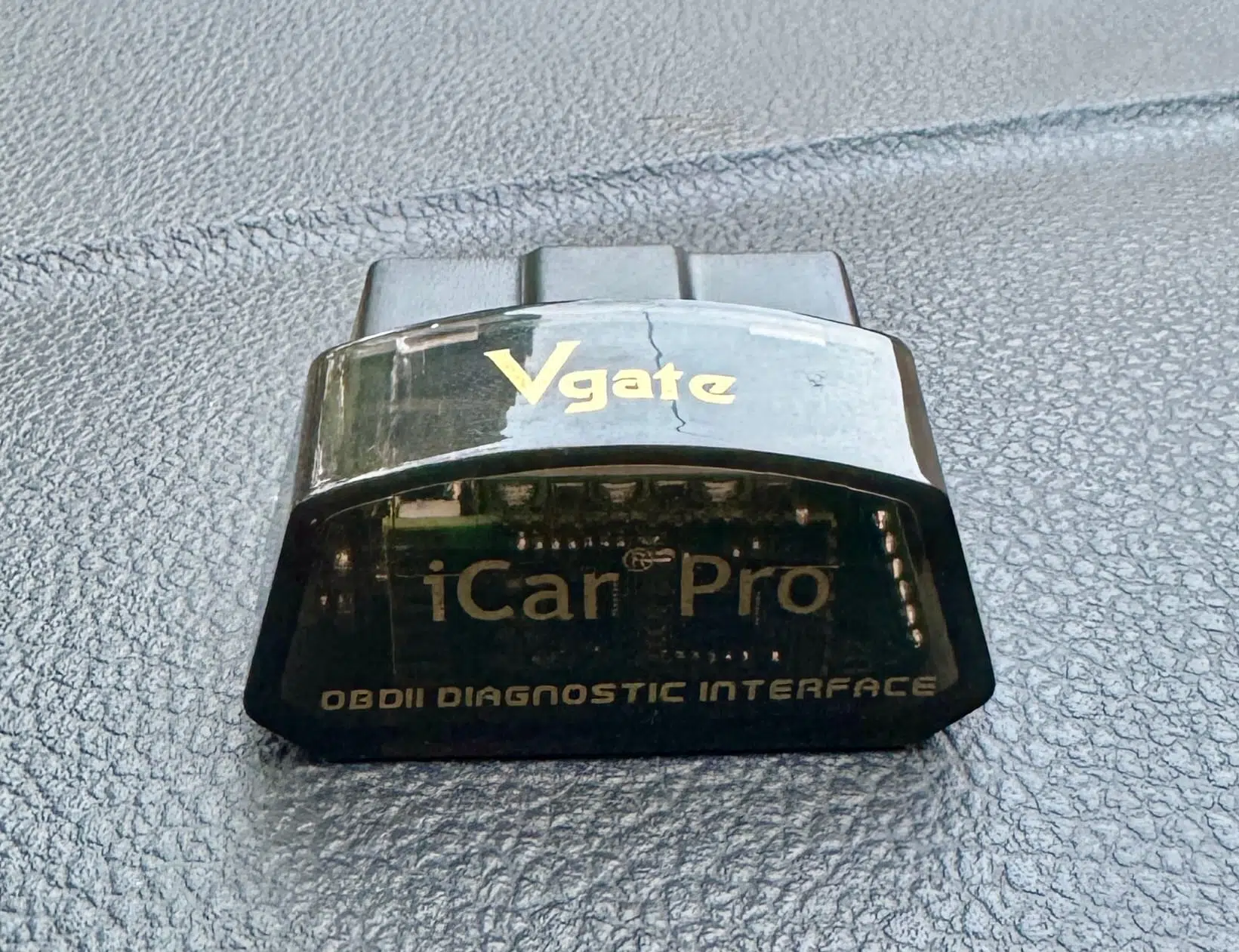
Vgate iCar Pro BLE 4.0
Tested for over a year on my own Skoda Rapid 1.0 TSI
Reads codes, clears them, and passes accurate live data to your phone. Connects in 2 to 3 seconds and has not dropped once in over a year.
Buy it if
- You want fault codes and accurate live data on a VW, Audi, Skoda or SEAT
- You want phone-based diagnostics through Car Scanner App on iPhone or Android
- You want set-and-forget: auto-sleep, safe to leave plugged in daily
Skip it if
- You want coding or hidden-feature activation, that’s OBDeleven territory
- You need full-system ABS or airbag scans, this is engine-focused
- The newer iCar Pro 2S costs the same where you are, buy that instead
As an Amazon Associate I earn from qualifying purchases. Also sold direct by Vgate.
How I Tested It
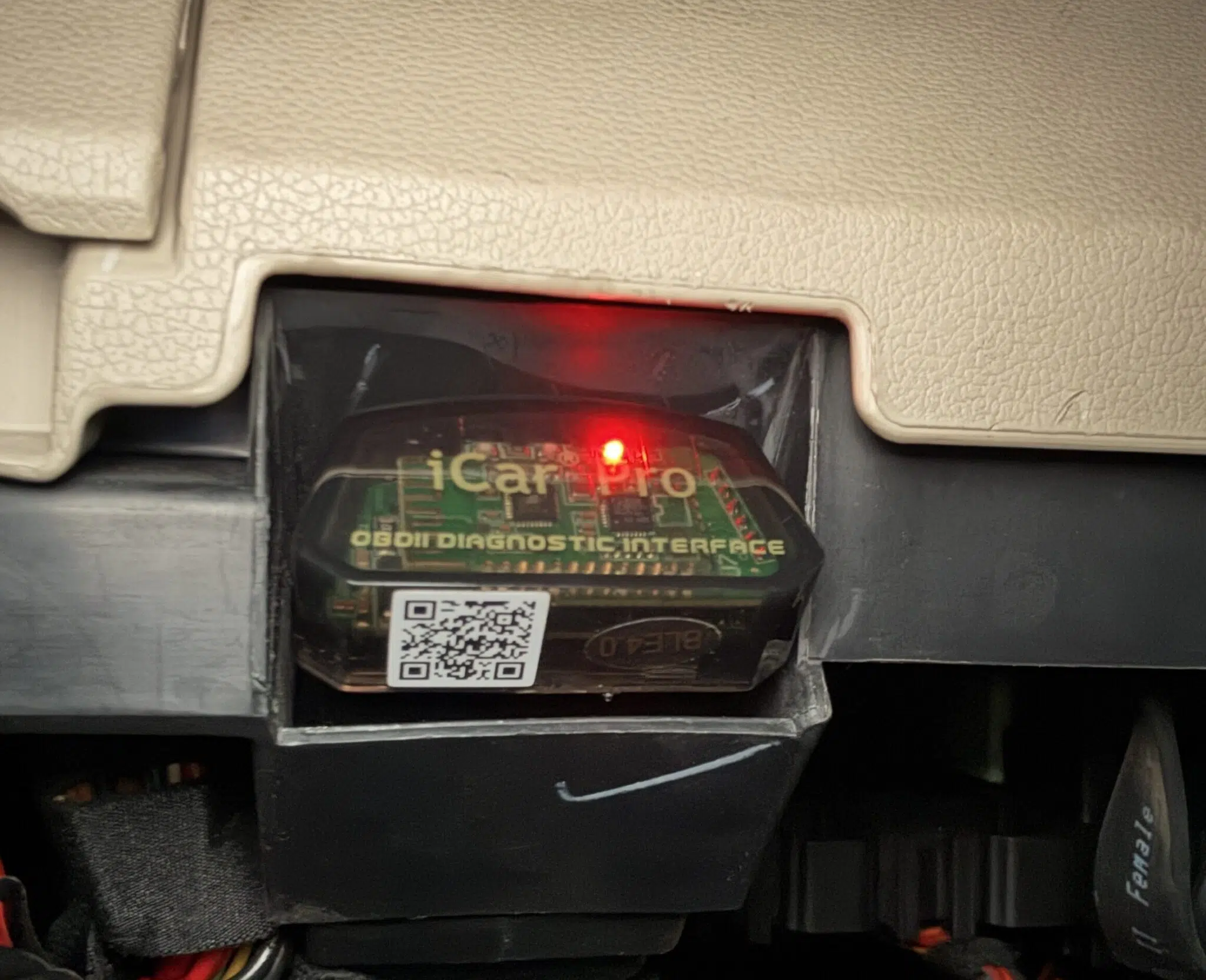
Car: my 2021 Skoda Rapid 1.0 TSI, Stage 1 remapped, driven daily.
Phones: an iPhone 15 Pro Max for almost every session, and a OnePlus to confirm Android.
Apps: Car Scanner Pro for all the logging; Torque and OBD Auto Doctor for the app comparison.
Period: March 2025 to now, at least weekly.
What came through it: short and long term fuel trims, O2 sensor voltage, MAP and calculated boost, coolant and intake temperatures, cold-start data and the readiness monitors.
Connection: ISO 15765-4 CAN, 11-bit, 500 kbaud, selected automatically every time.
Not tested: the newer 2S, any car other than the Rapid, ABS and airbag modules, coding of any kind.
What Is The Vgate iCar Pro BLE 4.0?
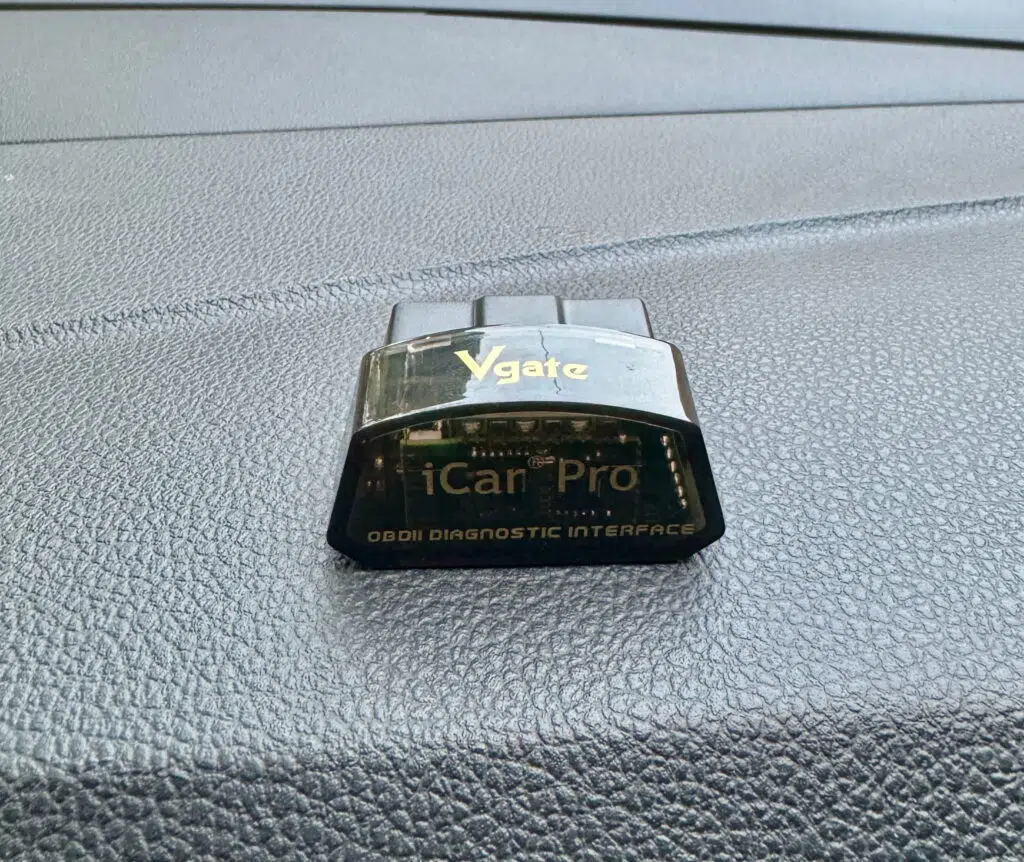
The Vgate iCar Pro BLE 4.0 is an ELM327-class Bluetooth adapter. It plugs into your car’s OBD2 port and talks to an app on your phone over Bluetooth, it has no screen and no app of its own. You pair it with something like Car Scanner, Torque or Carista and the app does the work of displaying the data.
That ELM327 part matters because it sets the boundary of what this adapter can and cannot do, and most listings selling it are vague about exactly that. An ELM327 adapter reads, scans and clears fault codes and streams live engine data. It does not code modules or change settings on your car. More on that below, because it is the single most important thing to understand before you buy.
It supports the standard OBD2 protocols including ISO 15765-4 CAN, which is what the 1.0 TSI and the rest of the modern VAG range use. On my Skoda Rapid it connects on the CAN protocol every time with no manual protocol selection needed.
Does This Work on iPhone and Android?
Yes. This is the BLE 4.0 version, Bluetooth Low Energy and that is the version that works on iPhone. It works on Android too. The same adapter covers both, so there is no connection issue whichever phone you are on and no second purchase if you switch.
This is worth saying clearly because it is where cheap adapters catch people out. A lot of the very low cost ELM327 clones use classic Bluetooth, which only pairs with Android and will not connect to an iPhone at all. If you are on iPhone you specifically need a BLE adapter, and this is one. I have run it on iPhone the entire time without a single pairing problem.
Setup and Pairing
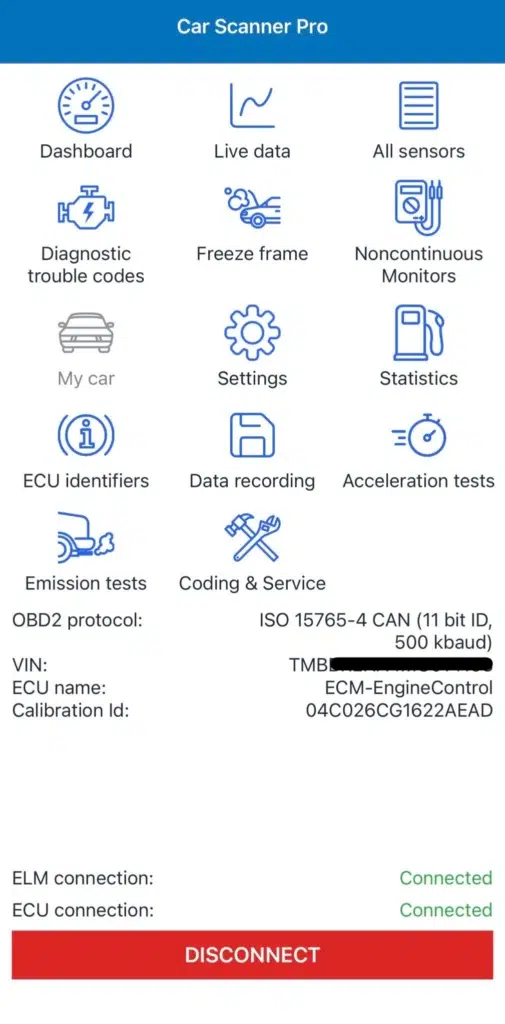
Setup is quick. Plug the adapter into the OBD2 port, open the app, and connection takes two to three seconds. I have never had to re-plug it or restart the connection to get it to work.
The one thing to get right is on the app side, not the adapter, you have to select the correct engine profile for your car before it will connect cleanly. That is a setup step, not a fault with the Vgate. Once the profile is set, the adapter connects in two to three seconds every time. If you have not used an OBD2 scanner before, my guide on how to scan your car with an OBD2 adapter walks through the whole process with screenshots.
Live Data Accuracy on My Skoda Rapid 1.0 TSI
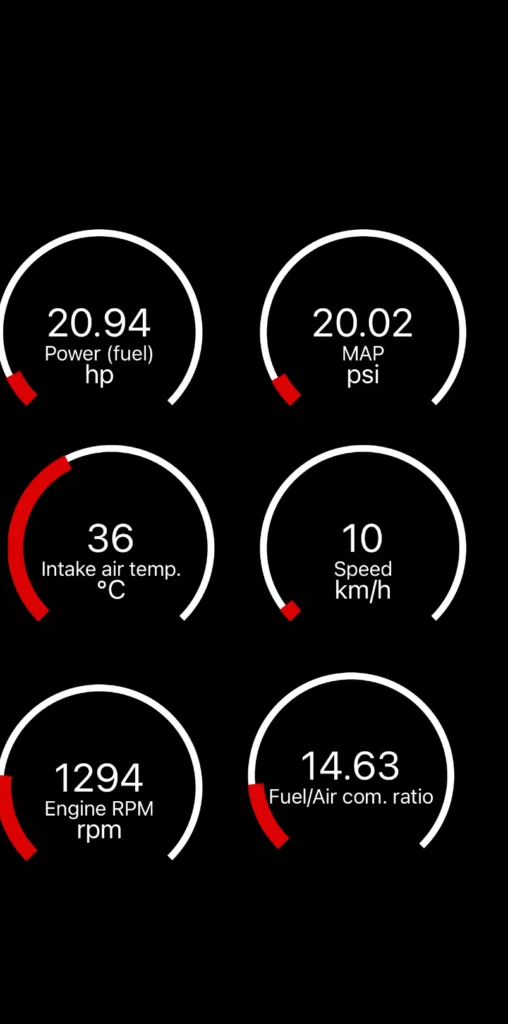
Every reading above came through this one adapter.
This is where the adapter earns its place. On the 1.0 TSI it pulls every live parameter I have asked it for, short term fuel trim, long term fuel trim, O2 sensor voltage, fuel/air ratio, calculated boost, MAP, coolant temperature, all streaming live with a two to three second update delay. I have never had it block a reading or fail to return a PID.
I can be specific about this because I have the data. At warm idle the adapter passed STFT at 1.56%, LTFT at 0.78%, and O2S1 voltage at 0.66V through to the app correctly. If you want to know what those numbers actually mean on a healthy engine, I have broken them down in detail in my short term fuel trim guide, for this review the point is simply that the adapter delivered them accurately and consistently.
There is a useful piece of evidence for that. In my app comparison I found Torque displaying a fuel trim of 130% on this engine when the real reading was 1.56%. The raw data the adapter sent was identical in both apps, Car Scanner app read it correctly and Torque misread it. In other words, when a reading comes out wrong it is the app misinterpreting the data, not the Vgate sending bad data. The adapter passed the correct raw values through every time. That is exactly what you want from the hardware.
Every reading in those screenshots came through this one adapter on a phone.
Which Apps It Works Best With
The adapter is only half the setup, the app you pair it with decides how good your data actually is, and the gap between apps is larger than most people expect. I tested three of the most popular ones on this exact adapter, and one of them displayed a completely false fuel trim reading on a healthy engine while another showed nothing at all.
I am not going to repeat the whole comparison here. Car Scanner is the one I use and recommend, and the full testing, including the app that read 130% when the real figure was 1.56%, is in my best OBD2 app guide. Read that before you decide which app to put on your phone.
What It Cannot Do – Read This Before You Buy
The Vgate iCar Pro reads, scans and clears fault codes and shows live data. That is it. It does not support coding, and it cannot make changes to the existing modules on your car.
This matters because plenty of people buy an adapter expecting to do things it was never built to do. If you want to activate hidden features, change comfort settings, recode a module after replacing a part, or do anything that writes to the car rather than reading from it, this adapter will not do it. For that you need an adapter that supports coding, an OBDeleven 3 or a VCDS setup, and those cost considerably more. OBDeleven in particular is locked to its own dongle, so this Vgate will not pair with it at all.
It also will not give you full-system access to ABS, airbag or other non-engine modules the way a dedicated VAG tool does. It is an engine-focused diagnostic and live-data reader.
None of this is a flaw. It is what an ELM327 adapter is. The mistake is buying one expecting coding, then being disappointed. If you want to read your car, diagnose a fault, watch live data and clear codes, this does all of it well. If you want to code your car, buy a different and more expensive tool. I tested the OBDeleven 3 on the same Rapid, and that review says exactly what the extra money buys.
Long-Term Reliability: Over a Year of Use
Most reviews of this adapter are written after a few days with it. Mine is after a use of over a year, so here is what long-term use actually looks like.
It has given me no trouble at all. No connection issues, no dropped logs mid-session, no failed pairings, nothing needing a firmware fix. Plug it in, open the app, connected. That has been the experience from day one and it has not changed.
On battery drain, the worry with any adapter you leave plugged in, mine is currently sitting in the OBD2 port of the Skoda and has been for many days without me pulling it out. The battery is fine. I have had no starting problems and no flat battery I could put down to the adapter. The auto-sleep does what it is supposed to. I would still pull it out if I were leaving the car parked up for weeks, but for a daily driver, leaving it in has caused me no issues.
That reliability over real mileage is the thing I would tell anyone weighing this up. A cheap clone might work for a week. This one has worked for over a year of genuine use.
Vgate iCar Pro 4.0 vs Cheap ELM327 Adapters
You can find ELM327 adapters for the price of a coffee. The reason to spend a bit more on a known one like the Vgate is consistency.
Cheap unbranded clones frequently block certain PIDs or run clone firmware that does not handle specific ECU protocols properly. The result is incomplete data, readings that simply do not appear even though the app supports them or connections that drop. If you are trying to diagnose a real fault, an adapter that only shows you half the picture is worse than useless, because you do not always know what you are missing.
On my car the Vgate has passed every PID the app has asked for. For around ₹4,000, or the rough equivalent in £, that consistency is what you are paying for. On a tool you use to make decisions about your car, that is worth paying for.
Vgate iCar Pro 4.0 vs The Newer 2S
One caveat. There is a newer version, the Vgate iCar Pro 2S, which on paper improves on the 4.0: Amazon’s listing gives it Bluetooth 5.2 in place of this one’s Bluetooth 4.0, and Vgate claims faster connection and easier pairing. I have not used the 2S, so I will not pretend to review it. What I can tell you is that the 4.0 I have run for over a year has been completely dependable, so it is not as though the older version has let me down.
The sensible way to choose is on price. If the 2S is only a little more than the 4.0 where you are buying, get the 2S, it is the newer model and there is no reason to buy the older one at the same money. If the 4.0 is noticeably cheaper, it is still a reliable adapter that does everything described in this review. Buy on the price gap, not on the version number alone.
Alternatives Worth Considering
I have not tested any of these, so this is where each one sits rather than a verdict on it.
- Vgate iCar Pro 2S: the same maker’s newer adapter. Same job as the 4.0; buy on the price gap as described above.
- OBDLink CX: a BLE adapter for iPhone and Android that costs more than the Vgate and is sold on its refresh speed. Worth a look if you log boost pulls rather than read codes.
- Veepeak OBDCheck BLE+: the other budget BLE adapter that comes up next to the Vgate on Amazon. Same category; I have no basis to say which is better.
- OBDeleven 3: not an alternative for reading, an alternative for coding. If you want to change anything on the car, this is the tool, and my review of it says what the extra money buys.
Price and Where to Buy
I bought mine on Amazon India in March 2025 for around ₹4,000. On Amazon UK it has been selling in the mid-£30s (checked October 2026), and at that money the newer 2S is often the same price or less, so check both before you buy: if the gap is small or inverted, the 2S is the one to get.
| Adapter | Best for | Price |
|---|---|---|
| Vgate iCar Pro BLE 4.0 – the one in this review | Codes and live data; a year on my Rapid | Check today’s 4.0 price |
| Vgate iCar Pro 2S – the newer version | Same job, newer Bluetooth | See what the 2S costs |
Vgate’s own store lists it at $31.99 in the US and sells it direct, but Amazon pricing moves, check the current figure before deciding between the two versions.
Vgate iCar Pro BLE 4.0 – Pros and Cons
What’s good
- No dropped connections in over a year of use
- Connects in two to three seconds, every time
- Works on both iPhone and Android
- Passed every live-data PID asked for on my car
- Auto-sleep, safe to leave plugged in on a daily driver
- Never once worked loose or fell out while driving
- Good value for what it does
What’s not
- Hard to remove if you push it in firmly, it wedges into the port. A gentle push still connects fine and it never works loose
- No coding, reads and clears codes only, can’t change anything on the car
- No full-system access to ABS, airbag or other modules
- The newer 2S exists, which makes the 4.0 a harder buy at the same price
On the first one: a gentle push still connects fine and it never works loose.
Verdict – Should You Buy It
If you own a VAG car and you want to read fault codes, clear them, and watch accurate live data on your phone, the Vgate iCar Pro BLE 4.0 does the job and does it reliably. Over a year of use, it has not given me a single connection problem, it works on both iPhone and Android, it passes the full range of live data a proper app needs, and the auto-sleep means I can leave it plugged in without worrying about the battery.
The limit to be clear about is coding, it does not do it. This is a reading and diagnostic tool, not a tool for coding your car. Buy it knowing that, and it is a basic adapter that does the basics well. If the newer 2S is close in price, buy that instead, but the 4.0 has earned its keep on my car.
Vgate iCar Pro BLE 4.0
Tested for over a year on my own Skoda Rapid 1.0 TSI
Reads codes, clears them, and passes accurate live data to your phone. Connects in 2 to 3 seconds and has not dropped once in over a year.
Buy it if
- You want fault codes and accurate live data on a VW, Audi, Skoda or SEAT
- You want phone-based diagnostics through Car Scanner App on iPhone or Android
- You want set-and-forget: auto-sleep, safe to leave plugged in daily
Skip it if
- You want coding or hidden-feature activation, that’s OBDeleven territory
- You need full-system ABS or airbag scans, this is engine-focused
- The newer iCar Pro 2S costs the same where you are, buy that instead
As an Amazon Associate I earn from qualifying purchases. Also sold direct by Vgate.
FAQs
Yes. The BLE 4.0 version works on both iPhone and Android. Cheap classic-Bluetooth adapters only connect to Android, so if you are on iPhone you need a BLE one like this.
No. It reads, scans and clears fault codes and shows live data only. It cannot code modules or change settings, for that you need a costlier tool like an OBDeleven or VCDS.
It has an auto-sleep function and I have left mine in the car for many days with no battery problem. For a daily driver it is fine to leave in. Pull it out if you are parking the car for weeks.
Yes, for the consistency. Cheap clones often block readings or drop the connection, while the Vgate passes all the data reliably, which matters when you are diagnosing a real fault.
Car Scanner ELM OBD2 is the one I use and recommend for accurate live data on a VAG car. I tested it against Torque and OBD Auto Doctor on this adapter and it was the only one that read the data correctly.
Last Updated: September 2026

Founder of TheCarLane | Automotive Enthusiast
Ayush shares practical automotive knowledge based on real-world ownership and hands-on experience. His work focuses on diagnostics, engine systems, common car problems, and clear explanations that help everyday drivers understand their vehicles better.